Website Hosting in South Africa: How to Choose the Right Host
Web design & development, Digital Lime Green
How website hosting works, the types of hosting available in South Africa, what to compare between providers, and when it's time to upgrade.
Every website needs hosting: a server where its files and database live, connected to the internet. Your choice of host affects how fast your site loads, how often it's down, how secure it is and how easy it is to get help. Here's how to choose hosting for a South African business website.
Local or international servers?
If most of your visitors are in South Africa, hosting on servers in South Africa, or using a content delivery network (CDN) with local points of presence, usually means faster load times for them. Several South African providers host in local data centres, and many international hosts and CDNs also serve South African traffic well. Test the speed of a site on each host from a South African connection before you decide.
Types of hosting
- Shared hosting: many websites share one server. Cheapest, and fine for most small business sites with modest traffic.
- Managed WordPress hosting: hosting tuned for WordPress, often with caching, automatic updates, staging sites and better support. Good for business-critical sites and online stores.
- VPS and cloud hosting: a dedicated slice of a server or cloud resources you manage. Flexible, but needs technical skills.
- Hosted platforms: Shopify and website builders include hosting in their subscription.
What to compare
- Speed: server location, caching and modern PHP versions for WordPress.
- Uptime: the provider's track record and any uptime guarantee.
- SSL: a free SSL certificate should be included.
- Backups: how often they're made, how long they're kept, and how easy restores are.
- Security: firewalls, malware scanning and isolation between accounts.
- Support: local support hours and response times.
- Email: whether email on your domain is included, or needs a separate service.
- Resources: storage, bandwidth and limits on visits or processes.
- Price on renewal, not just the introductory price.
Signs you need better hosting
- Pages load slowly even after images are optimised.
- Your site goes down during busy periods.
- Your host can't run current versions of PHP or your platform.
- Support is slow or unhelpful when you have a problem.
- Your site has been hacked more than once.
Hosting and SEO
Google uses page experience signals, including Core Web Vitals, in its ranking systems, and slow or unreliable servers make good scores harder to achieve. Persistent server errors can also cause Google to drop pages from its index. Reliable hosting is part of the foundation for good rankings.
Moving hosts
A hosting migration should involve no downtime and no change to your URLs. Copy the site, test it on the new server, then update your domain's DNS settings. Keep the old account active until you've confirmed everything works.
Get help with hosting
We recommend, set up and migrate WordPress hosting for our clients, and our website maintenance plans keep sites updated and secure. See also our guide to essential WordPress plugins and security.
How we can help
Related guides
All articles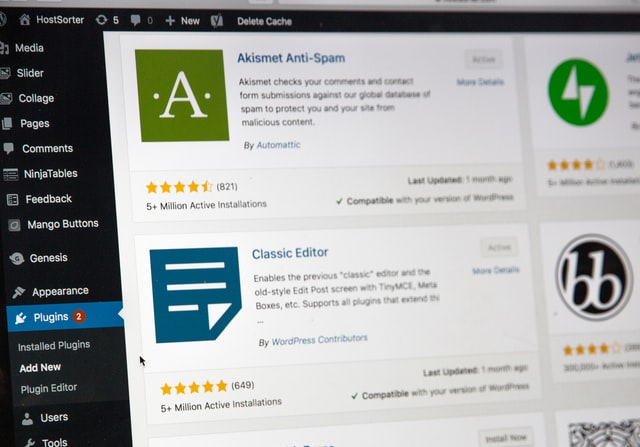 Hosting and WordPress
Essential WordPress Plugins for Business Websites (and How to Keep Them Secure)
The types of WordPress plugins most business websites need, the ones to avoid, and how to keep plugins and your WordPress admin secure.
Read the guide Mobile apps
POPIA for Websites and Apps: A Practical Guide for South African Businesses
What the Protection of Personal Information Act means for your website or app, from contact forms and newsletters to privacy policies and security.
Read the guide Mobile apps
Native vs Cross-Platform App Development: Which Should You Choose?
Should your app be built natively for iOS and Android, or once with a cross-platform framework? Compare cost, performance, features and maintenance.
Read the guide