SEO for Small Businesses in South Africa: A Practical Guide
Web design & development, Digital Lime Green
How small businesses in South Africa can get found on Google, following Google's own guidance: the technical basics, content, local SEO, links and what to avoid.
Search engine optimisation (SEO) is the work of helping search engines find, understand and show your website to people searching for what you offer. For a small business, it's one of the most cost-effective ways to win customers, because the traffic keeps coming without paying for every click. This guide follows Google's own published guidance, which is the most reliable source on how Google Search works.
1. Make sure Google can find and index your site
- Set up Google Search Console and verify your domain. It shows which pages are indexed, what people search to find you, and any problems Google finds.
- Submit an XML sitemap listing the pages you want in search results.
- Link every important page from at least one other page on your site, using descriptive link text.
- Don't block important pages with robots.txt or a noindex tag by mistake.
- Use one version of each URL. Redirect duplicates (such as http and www versions) to your preferred address with permanent redirects, and use canonical tags consistently.
2. Get the on-page basics right
- Title tags: a unique, descriptive title for every page, such as "Plumber in Durbanville | Your Business Name".
- Meta descriptions: a short, unique summary of each page. Google may use it as the snippet under your result.
- Headings: one main heading (H1) per page and a logical structure of H2 and H3 subheadings.
- Descriptive URLs: short and readable, using words rather than numbers.
- Image alt text: describe what an image shows, for people using screen readers and for Google Images.
- Internal links: link related pages together, with anchor text that says what the linked page is about.
3. Create helpful, people-first content
Google's systems aim to reward content created to help people, not to manipulate rankings. For a small business, that means:
- A clear page for each service or product, written for your customers.
- Answers to the questions customers ask before they buy, including prices where you can.
- Evidence of real experience: projects, case studies, photos and reviews.
- Keeping content accurate and up to date.
Avoid publishing lots of thin pages on loosely related topics, or near-identical pages for every town you'd like to rank in. Google's spam policies treat those as doorway pages or scaled content abuse.
4. Local SEO
- Create and verify a Google Business Profile, with the correct category, hours, service area and photos.
- Ask happy customers for Google reviews and reply to them. Google says more reviews and positive ratings can help local ranking.
- Show your business name, location and contact details consistently on your site and on other websites.
- Mention the areas you genuinely serve on your website, in useful content rather than keyword lists.
5. Page experience and speed
Google's ranking systems use Core Web Vitals, which measure loading speed, responsiveness and visual stability. Compress images, choose good hosting and keep pages light. Check your pages with PageSpeed Insights and the Core Web Vitals report in Search Console. See what responsive web design is.
6. Links from other websites
Links from relevant, reputable websites help Google discover your pages and understand how prominent your business is. Good ways to earn them include supplier and partner listings, industry associations, local business directories, sponsorships and genuinely useful content that others want to reference. Buying links or taking part in link schemes breaks Google's spam policies.
What to avoid
Google's spam policies list practices that can get a site demoted or removed from results, including:
- Keyword stuffing, including blocks of city names.
- Hidden text and links.
- Doorway pages and mass-produced, low-value content.
- Buying or selling links.
- Cloaking: showing search engines different content from what users see.
The keywords meta tag isn't used by Google, so there's no need to fill it in.
SEO vs Google Ads
- Google Ads puts you at the top of results immediately, but you pay for every click and the traffic stops when you stop paying. See Google Ads management.
- SEO takes months to build, but the traffic continues without paying per click.
Most small businesses benefit from both: ads for immediate leads, SEO for long-term growth.
Using an SEO plugin
If your site runs on WordPress, an SEO plugin such as Yoast SEO or Rank Math makes it easy to set titles, descriptions and sitemaps. Plugins help you do the basics; they don't replace good content. See essential WordPress plugins.
Measuring results
Track clicks, impressions and average position in Google Search Console, and enquiries in Google Analytics. Our guide to setting up Google Tag Manager explains how to track form submissions and calls.
Need help?
Every website we build includes the technical SEO basics. For ongoing growth, our SEO services start at R1,500 a month. Contact us for advice.
How we can help
Related guides
All articles SEO
How to Set Up Google Tag Manager
A step-by-step guide to installing Google Tag Manager and using it to manage analytics and conversion tracking tags.
Read the guide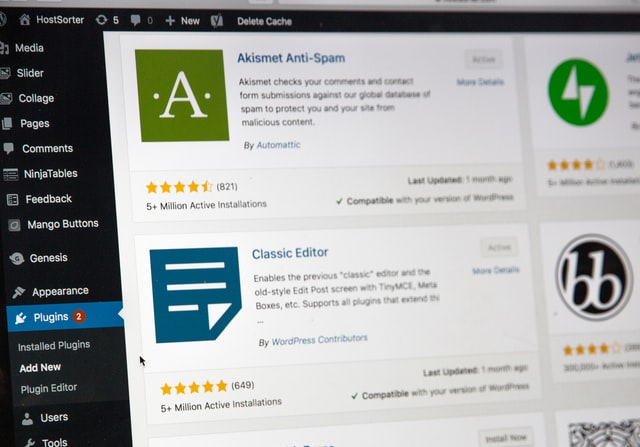 Hosting and WordPress
Essential WordPress Plugins for Business Websites (and How to Keep Them Secure)
The types of WordPress plugins most business websites need, the ones to avoid, and how to keep plugins and your WordPress admin secure.
Read the guide Mobile apps
POPIA for Websites and Apps: A Practical Guide for South African Businesses
What the Protection of Personal Information Act means for your website or app, from contact forms and newsletters to privacy policies and security.
Read the guide